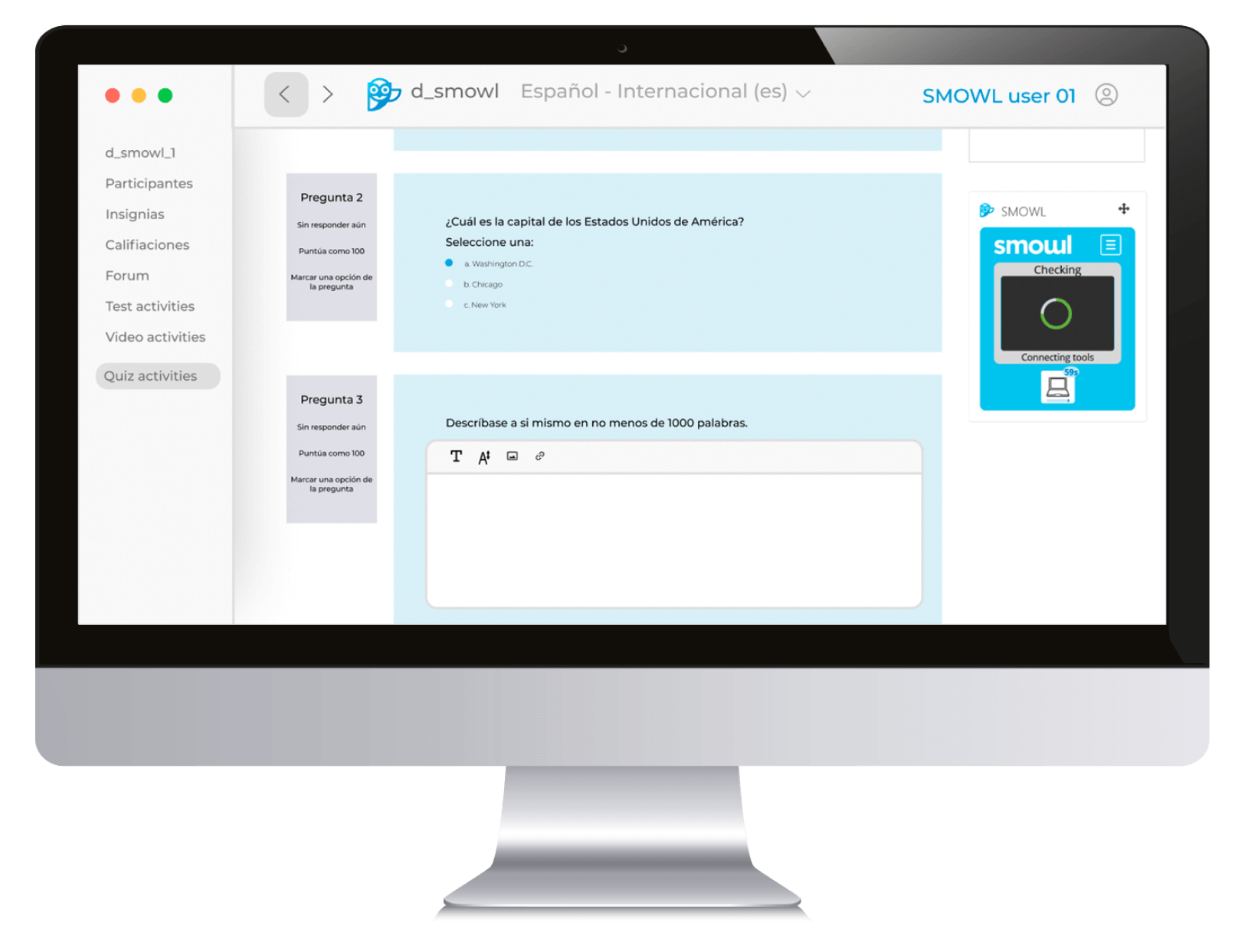
To choose the right proctoring tool, check that it adapts to the type and volume of your exams, allows you to activate only the features authorized by your institutional regulations, complies with the GDPR and the EU AI Act, integrates into your LMS, consumes low bandwidth, and offers support and flexible licensing.
What proctoring modality do you need based on your exams?
The proctoring modality you need depends on the weight of each assessment. Automated supervision for frequent high-volume evaluations; a hybrid modality when a person needs to review the evidence; and live supervision for the highest-impact tests. The best alternative is one that allows you to switch from one modality to another depending on the exam, without changing providers.
| Type of Evaluation | Modality That Usually Fits | What to Check in the Provider |
| Midterms, quizzes, and diagnostic tests with a large student body | Automated supervision | It scales without overwhelming your team and leaves reviewable evidence |
| Undergraduate or master’s final exams, admission tests, and recertifications | Hybrid supervision: automatic analysis and human review of evidence | That each incident arrives with a timestamp and evidence |
| Official certifications and high-impact sessions | Live supervision | That the proctor can intervene and communicate via chat with the examinee |
According to a group of online teaching managers from public universities in Castilla y León (Spain), supervision should be scaled according to the weight of the test and the size of the group. They propose three levels of identification: basic, with username and password; intermediate, with camera and ID document; and reinforced, using e-proctoring software for higher-weight assessments (40% or more of the grade) and large groups (García-Peñalvo, 2020).

Configurable features according to your regulations
A modular software that allows you to enable or disable features based on your evaluation regulations and data policy should be a purchasing condition. Some institutions, for example, have strict computer locking or set their own criteria regarding data collection. The best alternative offers a complete catalog that you can configure test by test. The more configurable it is, the easier it will be for your ethics committee or academic council to approve the project.
User authentication
User authentication can range from an initial check with an official ID document and live photography to periodic checks during the test.
Ask the vendor: Can I adjust the authentication level according to the risk of each exam?
Browser lockdown and computer monitoring
Browser Lock allows locking the browser in high-security tests or leaving it available for open-book exams. Computer Monitoring supervises computer activity, for example when the test requires or prohibits the use of multiple programs.
Ask the vendor: Can I deactivate the lockdown when the exam allows consulting material and define which applications are permitted in each test?
Environment supervision
Webcam supervision records what happens during the session, and together with a secondary camera, it allows monitoring the examinee’s environment.
Ask the vendor: Can I enable or disable each one depending on the test?

Data protection and artificial intelligence
A proctoring software must comply with the data protection regulations of your geographical area and apply privacy by design and by default. Likewise, it must leave the final decision regarding student grading in the hands of a human. Also request current security certifications, such as ISO 27001 and the National Security Scheme (ENS), and review your country’s specific requirements with your data protection officer. Also provide an alternative for those who cannot or do not want to take the exam from home, such as taking the test in an on-campus classroom of your institution.
European union regulations
| Regulation | What It Regulates | What to Check |
| GDPR (General Data Protection Regulation) | Regulates the processing of personal data. It requires processing only the necessary data, informing individuals clearly, and applying security measures. It grants students rights of access, rectification, and erasure. It also limits decisions based solely on automated processing | That it processes only the necessary data, applies security measures such as encryption, and indicates where the data obtained during the test is hosted |
| EU Artificial Intelligence Act (Regulation (EU) 2024/1689) | Regulates AI systems according to their risk level. In education, AI used for tracking and detecting prohibited student behaviors during exams is classified as high risk (Annex III, point 3, letter d), and using AI to infer emotions in educational facilities is prohibited, except for security or medical reasons (Article 5.1.f) | That the provider documents show how it complies with the regulation. Check that a person supervises and makes the final decision on each exam |
In 2025, the AEPD considered that facial recognition in online exams processes special category biometric data (Article 9 of the GDPR) and that consent is not valid if students do not have a real alternative. Therefore, it is advisable to ask the vendor what legal basis and alternative they offer.
United States regulations
In the United States, there is no single data protection law, so it is advisable to review federal education regulations as well as those of each state. The table is for guidance purposes: validate how it applies to your case with your legal team or data protection officer.
| Regulation | What It Regulates | What to Check |
| FERPA (Family Educational Rights and Privacy Act) | Federal law that protects the privacy of students’ educational records in institutions receiving funds from the U.S. Department of Education. Exam recordings and reports can be considered educational records | That the provider processes data under the direct control of the institution, solely for the contracted purpose, and without disclosing it to third parties without consent. It specifies in the contract how students access their records and how long the data is retained |
| CCPA (California Consumer Privacy Act) | California law gives its residents the right to know what data is collected, to correct it, delete it, and to limit the use of sensitive data. It mainly affects for-profit providers and organizations that exceed their thresholds | That the provider informs what type of data it collects and for what purpose. That it does not sell or share it with third parties, and that it handles access, correction, and deletion requests |
Objective evidence and human decision
A proctoring software must provide you with evidence, not a final verdict. Digital supervision protects the integrity of the test, but it does not grade or penalize it. Each incident must be recorded with evidence and timestamps, and the final decision rests with the institution.
Pay attention to how the result is presented. A global indicator or a probability percentage without evidence to back it up leaves faculty with a figure they cannot verify and increases the risk of algorithmic biases. In contrast, a report that organizes each incident with its screenshot, activity log, and timestamp can be reviewed in a few minutes and explained to students.
A good report includes:
- Graphic evidence of each incident with images.
- A timeline of the session with timestamps.
- A session history that you can review in detail.
- Access from the management platform or from your LMS.
You can see how this information is organized in our detailed reports.

Integration with your LMS
The proctoring software must integrate into your LMS (learning platform) using standards such as LTI (Learning Tools Interoperability) or certified partnerships, so that faculty can schedule tests from their usual environment and students can complete them without leaving the virtual campus. Redirecting students to external platforms increases the risk of technical failures and doubles the administrative burden.
Look for two signs of solid integration: the LMS’s own certification, for example Moodle Certified Integration Plus or Canvas and D2L Brightspace integration certifications, and a management panel with metrics, bulk activity activation, and API access. Also check that it integrates with other LMSs you use, such as Blackboard.
Bandwidth and modest devices
For automated and hybrid supervision, the software must analyze the session using image captures rather than continuous video streaming, ensuring that the exam runs stably even with simple connections and computers that are not high-end. This is a matter of equity: the digital divide must not condition student performance, for example: in Spain, 97.4% of households have broadband internet, of which 83.8% access it via any type of computer, and 10.7% access it solely via mobile connection (INE, 2025).
For instance, ECLAC indicates in a 2024 report that 80% of the urban population in Latin America and the Caribbean has internet access. The problem is that this percentage drops drastically in rural areas and among lower-income sectors, with gaps of up to 50 percentage points between the richest and poorest households.
On the other hand, in live supervision, the proctor observes the session in real time via webcam, which requires a more stable connection. Therefore, it is advisable to reserve that modality for higher-impact tests and ask the vendor for the connection requirements of each modality.
Furthermore, check that it is compatible with common operating systems and browsers, and that the installation is lightweight, such as a browser extension that installs in just a few clicks.
Support and consulting
Your vendor must support you from day one rather than simply handing over a license. Ask if it includes:
- Support for initial configuration in your LMS.
- Pilot tests before official examination periods.
- Training for the technical team and faculty.
- Agile technical support channels before, during, and after the exam.
Student peace of mind during the test is also part of evaluation integrity.
Licensing models and costs
The right model is the one that fits your pace and type of usage. Ask for total transparency in the commercial model, make sure there are no hidden costs, and request modular plans to contract only the authentication or supervision features needed for each test. Also analyze the indirect return: less operational burden for faculty and fewer technical incidents during exam periods. You can estimate this with the proctoring ROI calculator.
Per-activity license
The per-activity license is contracted for specific exams. It fits when each person takes a single activity, such as an admission test, a specific certification, or a recruitment process.
It pays off when the volume is variable or seasonal and you want to adjust spending to each exam period without committing to a full period. For example: a certification center that evaluates 200 professionals in an annual session. If, on the other hand, each person will take multiple exams in the same period, it is worth comparing with the per-user license.
What to check:
- What each license includes: number of attempts and retries for technical failure.
- How make-up exams or second exam periods are accounted for.
- Whether you can expand licenses during the session when registrations increase.
- What authentication and supervision features each license includes.

Per-user license
The per-user license covers each person throughout the contracted period. They can complete multiple activities without additional costs per exam. It fits medium- or long-term programs, such as undergraduate degrees, postgraduate degrees, or continuing education.
It pays off when students take multiple exams over the period (midterms, finals, make-ups) and you need a predictable cost to budget for the course. For example: a master’s program with 300 students taking six exams throughout the course. If, on the other hand, most will take a single exam, compare it with the per-activity license.
What to check:
- The start and end dates of the period, and what happens if the program is extended.
- What happens with student enrollments and dropouts mid-period.
- Whether the license covers all supervision modalities you will use or only one.
- Whether you can combine it with per-activity licenses for one-off exams.
Checklist of questions for your vendor
This checklist summarizes the key questions you should resolve with your vendor before signing a contract. Take it to your next meeting and verify that every point is answered in writing.
- Does it offer automated, hybrid, and live supervision within the same solution?
- Can I customize (enable or disable) each feature according to my regulations?
- Can I configure the user authentication level for each exam?
- Does each incident arrive with evidence and a timestamp, and is the final decision up to my institution?
- Does it comply with the GDPR and the EU AI Act, and FERPA or CCPA if applicable, with current certifications?
- Where is the data hosted?
- Does it have certified integration with my LMS?
- Does it work with image captures and limited bandwidth?
- Does it include consulting, pilot tests, and training?
- Can I test it with a free demo before signing?
Choosing the right proctoring software means choosing a solution that adapts to your exam, your regulations, and your virtual campus, and that provides you with evidence so you can make the decision yourself. SMOWL brings these criteria together in four plans—SMOWL CLASS, SMOWL PLUS, SMOWL PRO, and SMOWL ENTERPRISE—so that each institution can choose the level of digital supervision it needs.
If you want to test it in your own LMS, request a free demo.

Frequently asked questions
Do students have to install anything to take a supervised exam?
It depends on the features you activate. Browser Lock works with SMOWL EXTENSION, a browser extension that installs in just a few clicks, and Computer Monitoring requires the SMOWL CM desktop app. Ask your vendor what students need to install for each configuration.
How can you verify that a software complies with the GDPR and the EU AI Act?
Request documentation on privacy by design, what data is processed, where it is hosted, and what security certifications it holds, such as ISO 27001 and ENS. Also verify that the final decision on each incident always rests with an individual at your institution.
Which LMSs does SMOWL integrate with?
SMOWL is a Moodle Certified Integration Plus, features integration certification from Canvas and D2L (Brightspace), and also integrates with Blackboard. Faculty schedule assessments from their usual environment, and students complete them without leaving the virtual campus.
Does the system automatically grade or penalize the user?
No. SMOWL detects incidents and compiles them with evidence and timestamps. The final decision rests with the institution. The teaching team reviews the report and decides how to handle each incident.
Can I test the software before subscribing?
With SMOWL, yes. You can request a free demo to test the integration in your own LMS and evaluate the experience with your faculty and students before signing any contract.