Digital education and new technologies open many doors, but they also bring new challenges. One of the biggest we face today is the rise of generative artificial intelligences, like ChatGPT, in online assessment environments. By now, you’ve probably heard stories of students using generative AI chatbots to answer exam questions.
Can these uses be detected? Find out how SMOWL proctoring solutions lead the way in safeguarding the integrity of digital assessments, even as AI seems to always be one step ahead.
The New Era of Online Exams: What Risks Does ChatGPT Pose?
Remote exams offer flexibility, greater accessibility, and countless advantages, but they come with tough questions: How can you be sure the knowledge assessed truly belongs to the registered person? What if someone tries to cheat using ChatGPT, Copilot, or any instant-answer AI tool?
Multiple studies—like this one from GoStudent—show that access to generative AI increases the temptation for academic dishonesty.
At SMOWL, we know that today’s challenge goes beyond simple copy-paste: it’s about identifying constantly evolving digital behaviors.
SMOWL: Smart Proctoring That Actually Detects Generative AI
In our experience, institutions that choose SMOWL aren’t just looking for an “online invigilator.” They want a solution that delivers ease of use, innovation, legal compliance, and—above all—tangible results. Here’s exactly how SMOWL doesn’t just catch traditional cheating, but also sophisticated techniques like using ChatGPT during exams.
Comprehensive, Multi-Layered Monitoring: The Key to Success
Our plans—from SMOWL CLASS to SMOWL PLUS and SMOWL PRO—are built around a clear principle: effective monitoring, adapted to any scenario, with maximum flexibility. This approach lets us go further, detecting behaviors linked to AI use or unauthorized sources.
What Does Layered Monitoring Mean?
It’s not enough to just “see” the user: SMOWL simultaneously monitors images, audio, digital activity, and the physical environment:
- Periodic Webcam Snapshots: We don’t record continuous video, but take snapshots at intervals that reveal presence and behavior—without overwhelming your connection or compromising privacy.
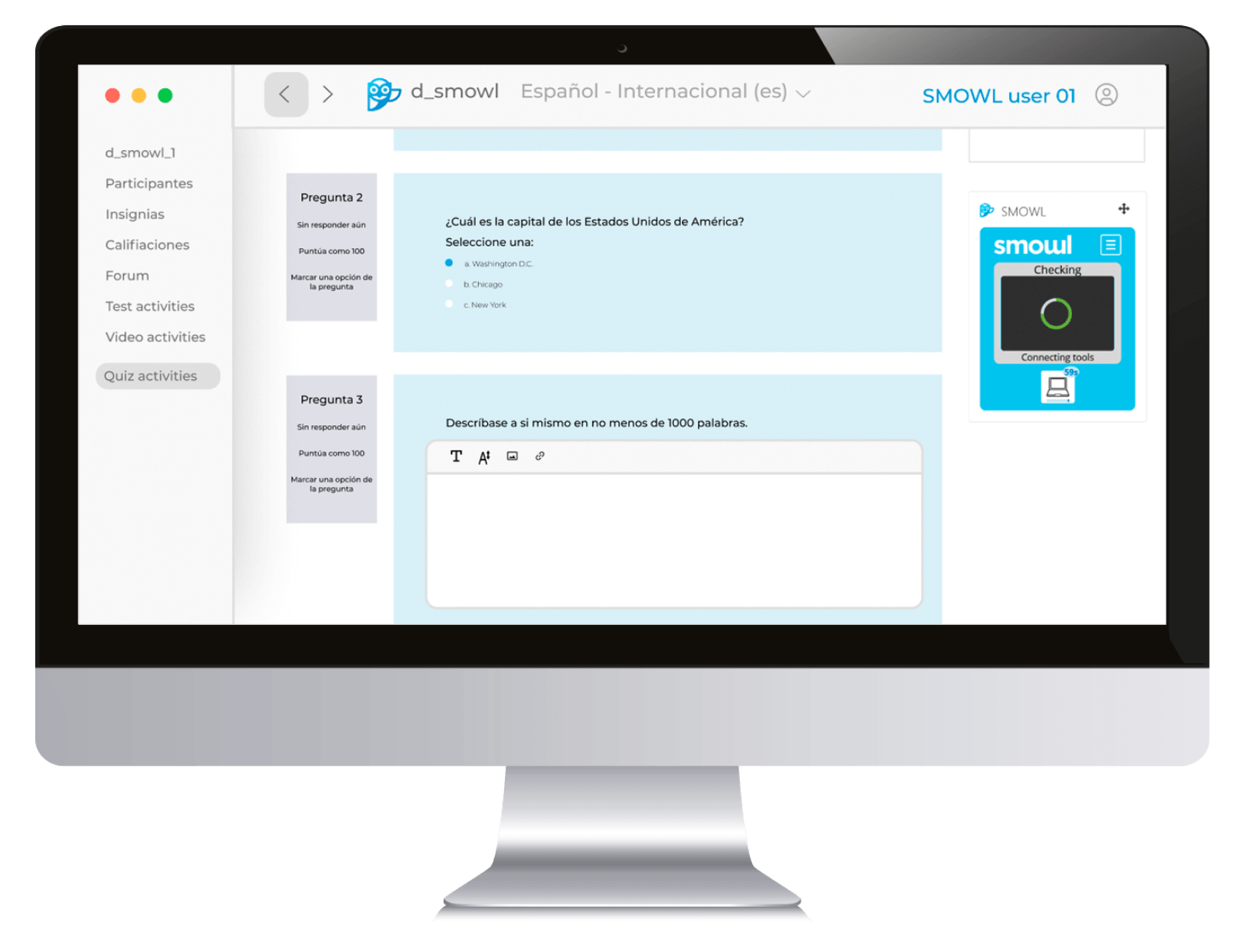
- Desktop & App Supervision: Through the SMOWL CM add-on, we track any app, process, or website opened during the exam. For example, if chat.openai.com (ChatGPT) is detected, the evidence is instantly captured in the report.
- Browser Lock/Restriction: The SMOWL LOCK extension lets you block web pages and restrict any actions outside the exam platform. Blocking access to ChatGPT, Google, or other external sources is simple and transparent to the user.
- Ambient Audio Audit: If suspicious conversations or commands are heard, automatic alerts are triggered. Any attempts to dictate answers to another virtual assistant are recorded.

Active Detection of ChatGPT Use: Real Examples
How exactly do we detect if someone uses ChatGPT?
- AI Web Browsing: If ChatGPT is opened in another tab, SMOWL detects it and logs both the website name and access time in the report for your institution. This works on web and desktop app versions.
- AI Chat Apps: If you use external AI chat apps (like Copilot, Gemini, etc.), SMOWL monitors their launch and flags these actions as critical events.
- Mobile Phone as an “Assistant”: Image and visual environment analysis triggers alerts when mobiles, external cameras, tablets, or even smartwatches are seen in view.
- Suspicious Shortcuts or “Copy-Paste”: The system logs unusual keyboard shortcuts and actions outside standard behavior (like pasting long blocks of chatbot-generated text). These activate alerts and include an illustrative screenshot.
Comparison Table: AI Fraud Attempts vs. SMOWL Detection
| AI-Based Cheating Attempt | How It Appears | How SMOWL Detects It |
| ChatGPT in Browser | Student opens chat.openai.com or another AI website during exam. | URL logged with exact timestamp and screenshot as evidence in report. |
| Copilot, Gemini, or Grok in Apps/Plugins | Active Windows apps, Chrome extensions, or search engine plugins. | Active process/app monitoring with SMOWL CM; automatic evidence in report. |
| Using Mobile, Tablet, or Smartwatch | Devices visible near student during exam. | Visual environment scan: detection of unauthorized devices in field of view. |
| AI-Generated Answers Copy-pasted | Pasting long, unusual text blocks. | Logs suspicious keyboard combos/events, with illustrative screenshots. |
| Using Virtual Machines/Remote Access | Exam accessed from a virtualized or remote desktop. | Monitoring desktop processes and detection of external connections. |
| AI Window Minimized/Hidden | Opens AI tool, hides it by window switching. | Detection of access to apps, even if not in the foreground. |
| Intentional Camera or Mic Disconnect | Attempts to pause technical monitoring. | Automatic disconnection log with timestamp and visual evidence. |
What About Copilot, Gemini, or Grok? SMOWL Catches Them Too
New AIs like Microsoft Copilot, Google’s Gemini (formerly Bard), or xAI’s Grok increase both possibilities and risks for academic cheating in online exams. These AIs can be browser integrations, desktop apps, mobile apps, or even voice-commanded assistants.
How Does SMOWL Detect These AIs?
SMOWL uses a tech approach not dependent on the specific AI brand. Whether a student accesses ChatGPT, Copilot, Gemini, Grok, or any new, emerging AI, it doesn’t matter.
The system monitors:
- Web Browsing: If the user opens any AI platform from their browser (Copilot in Bing, Gemini in Google, Grok via web), SMOWL logs the URL and adds it to the report, triggering an alert if the site isn’t allowed.
- Active Applications: SMOWL CM can spot desktop apps in use during the exam (Copilot in Windows, Gemini as Chrome extension, Grok in browser, locally installed AI apps), and stores evidence of that activity.
- Voice Command Logs: If users activate integrated assistants (e.g., Copilot by voice in Windows), SMOWL’s audio monitor can record the interaction.
A Detailed, Transparent Report
Any interaction with an AI (web, app, or voice) is documented: the evidence shows the tool name, access time, frequency, and (for websites) the exact URL. Academic admins can clearly see if the user resorted to Gemini, Copilot, Grok, or another AI during the test.
Do you want to stay on top of the latest trends in eLearning, EdTech, and Human Resources?
Fill out the form to receive our weekly newsletter with industry insights from our experts.
Can Students Hide New AIs From SMOWL?
No. Even if these solutions are built into browsers, operating systems, or mobile devices, SMOWL monitors not only the main browser, but all open programs/apps and active processes on the device. This allows the detection of any AI used to try to cheat on an online assessment.
In summary, SMOWL detects any artificial intelligence that interferes with the exam process, regardless of its name or format. This way, academic integrity is protected—no matter how fast new AIs emerge.

What Sets SMOWL Apart From Other Proctoring Systems?
Choosing SMOWL means picking a tool that supervises not only “what you see,” but everything happening during the exam:
- No need for complex downloads: Native integration with major LMS platforms (Moodle, Canvas, Blackboard, etc.)—no extra steps or requirements for users or institutions.
- Clear, visual reports: Forget cryptic reports. SMOWL organizes info by events, with color codes and clear explanations to ease interpretation and reduce false positives.
- Full customization: Each institution sets their own strictness level—from basic (camera-only) up to full locked exam environments (Browser Lock), with options for adding a second device or live human proctoring.
- Absolute respect for privacy: We collect and store only necessary info, always 100% GDPR compliant and tailored to each organization’s privacy rules.
The Power of the SMOWL Report: Clarity, Detail, and Informed Decisions
SMOWL stands out by delivering transparent, actionable reports designed for institutional decision-makers. After every exam, the system delivers:
- URLs accessed during the session (ChatGPT, forums, etc.).
- Apps opened and categorized (permitted or not).
- Alerts for environment tampering (connection/disconnection of peripherals).
- Relevant photos/snapshots categorized by severity.
- Easy-to-understand text descriptions for academic, not just technical, reviewers.
Remember: SMOWL doesn’t judge—it presents evidence and enables analysis. The final say on exam validity ALWAYS rests with the institution.
Biometric Authentication and Ongoing Validation
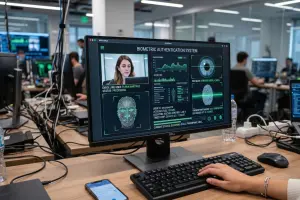
For institutions needing the highest security, some SMOWL plans include facial biometric authentication and pattern-based ID (with initial ID photos and dynamic comparisons during the test). This ensures nobody can impersonate the user, even with access to their exam session. If inconsistencies arise, alerts are generated and incidents are documented.
Adaptable to Any Setting: From Universities to Enterprises
Did you know SMOWL can be used both for massive university exams and for certifications in major companies or recruitment testing? The system adapts in just a few clicks to any context, from basic supervision to full 360º monitoring with human review.
Modular design even enables digital exams with physical observers (like in a classroom), or dedicated human validation for high-stakes or regulated assessments.
What if Students Get Creative Trying to Outsmart the System?
At Smowltech, we anticipate all kinds of cheating attempts. Commonly detected tactics include:
- Hidden cables or earbuds.
- Using virtual assistants via voice.
- Using virtual machines or device remote-control systems.
The system also logs any unusual events. If there’s an intentional disconnect of the camera, mic, or screen, it’s automatically recorded with timestamp and an illustrative photo.

Constant Evolution: SMOWL Learns Alongside the Educational Community
We take it seriously that technology must never fall behind. Our experts continually update algorithms and policies, adapting to new threats:
- Improving AI algorithms to spot new forms of cheating
- Continuous monitoring of global best practices in proctoring and digital assessment
- Ongoing communication with institutions for feedback and feature adaptation
The result? A more robust system every year—ready to meet the challenges of a changing digital landscape.
Transparency, Support, and Training: The SMOWL Commitment
We believe technology only makes sense when it truly helps people. That’s why we provide support from implementation through to daily use:
- Training sessions for admins, teachers, and students, tailored for every tech level
- Personalized support for setup issues, report reading, and data-driven decision making
- Multilingual support channels in Spanish, English, or other required languages
- Constant updates and free resources: blog, newsletter, downloads, and more
SMOWL’s Added Value: Beyond Just Catching Cheaters
Beyond its ability to detect ChatGPT and other AI tools, SMOWL brings even more advantages, making your online assessment process safer, more efficient, and better adapted to today’s needs. For example:
- GDPR-Compliance: Maximum protection of both personal and academic data
- Auditable reports: Third-party review and traceability of alerts and documentation, if required by your institution
- Inclusive exam adaptation: Full compatibility with accessibility software (like ReadSpeaker), promoting inclusivity in exams
- Flexible licensing: Pay per user or per exam, adapting to institutional demand and seasonality
The Future of Academic Integrity: With You, Wherever You Need
We know credentialing trust is more vital than ever. SMOWL doesn’t just detect ChatGPT—it helps the education community transition to a more demanding, transparent, and up-to-date model, ready for the challenges of the digital era.
Want to know how to secure your online exams against AI misuse?
Try SMOWL for free, request a demo, or contact our team for personalized advice.
Frequently Asked Questions About SMOWL and AI Detection
Can a student use ChatGPT “undetected” by minimizing the window?
No. SMOWL detects access to websites and apps even when they’re not in the foreground. Even if a student switches windows, the system logs the event and captures visual evidence.
Can I outsmart the system by using two devices?
SMOWL is designed to detect suspicious changes in behavior via image analysis, detection of external devices, and environment monitoring, stopping tactics like looking up answers on a phone.
What if there’s a real technical issue (e.g., internet cuts out)?
SMOWL clearly distinguishes between accidental technical issues and deliberate attempts to cheat. All incidents are logged for transparent review between student and institution.
What if SMOWL doesn’t detect my camera or microphone?
Be sure to check your browser permissions, and make sure no other app is using those devices. If you still have problems, SMOWL technical support is available to help get everything set up before your test.
Do I need to install any software to use SMOWL?
That depends on your institution’s plan. Some only require a browser with webcam; others (like SMOWL PLUS) may require a desktop monitoring app for greater control.
Can SMOWL be used on any device?
SMOWL works on PCs and laptops with Windows and MacOS, and is compatible with major browsers (Chrome, Edge). It is not fully optimized for tablets or mobiles in most cases.
How does SMOWL guarantee my data privacy?
SMOWL complies with European GDPR and safeguards collected personal data. Only strictly necessary info is processed for exam supervision, and it is deleted after the required retention period.
Can I see the images or evidence SMOWL captures during my test?
Students can view certain real-time monitoring states via the SMOWL software corner, but full evidence and reports are sent only to the educational institution to protect process integrity.
What if the report shows a suspicious action I didn’t commit?
Reports only reflect evidence captured by the system, but it’s the institution’s responsibility to assess the context and make decisions. You can always explain or contest any incidents through your institution.
If I have a technical problem during my test, will my exam be invalidated?
Not necessarily. SMOWL logs all technical incidents so they can be distinguished from possible cheating attempts. If there’s any disconnection or sync issue, your academic team will review your case for fairness and transparency.