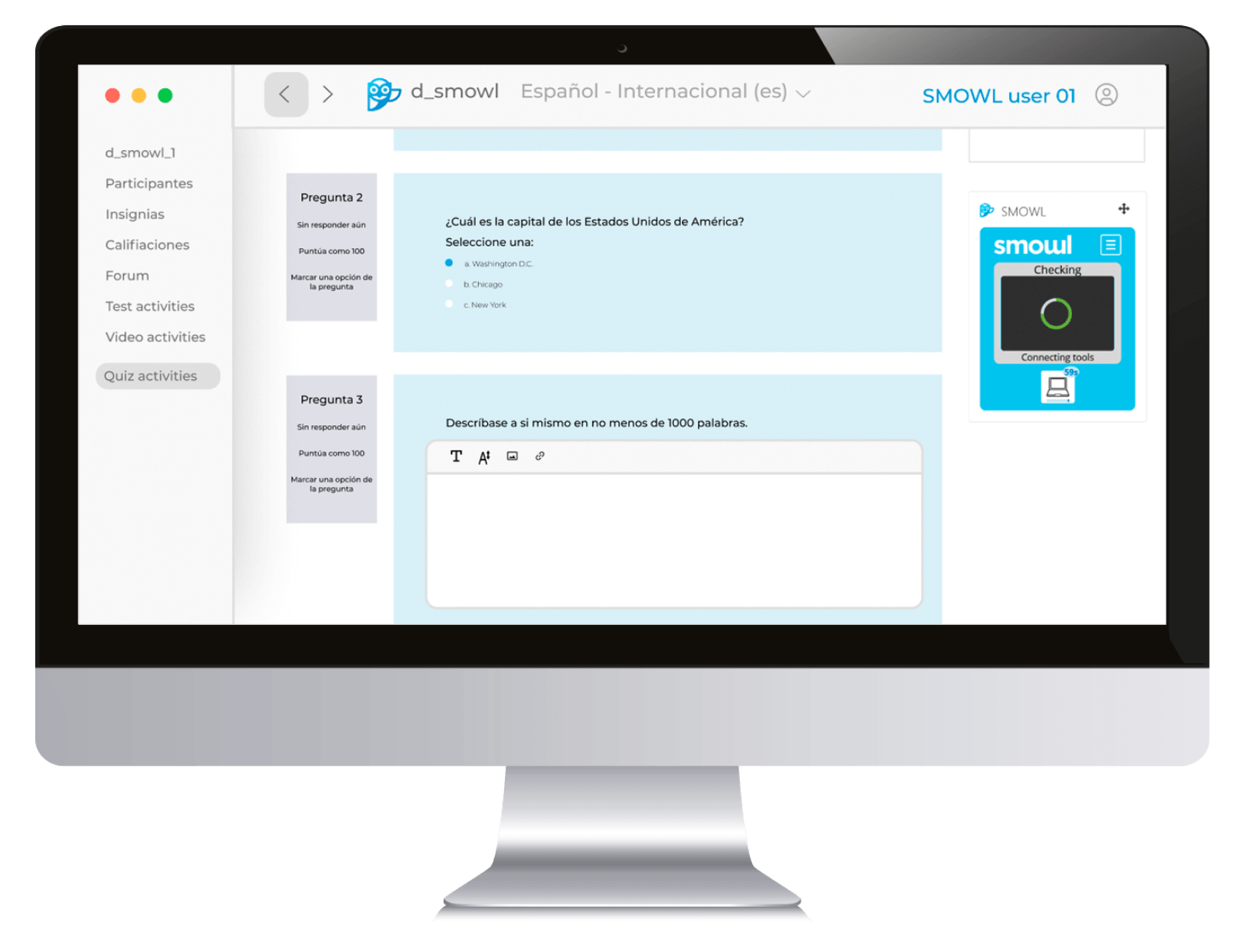
SMOWL is a word increasingly heard in academic settings around the world, especially in higher education, but also in recruitment processes, workplace training, and certifications. In short, wherever the academic integrity of digital exams needs to be safeguarded. But what is SMOWL exactly?
In this article, we explain everything about the SMOWL proctoring solution, born in Spain and already used by more than 350 institutions worldwide, from the origin of its name to the types of supervision it offers.
Among other things, we list the different monitoring features available, we mention which are included in each plan, and we explain why SMOWL makes honesty the easy route.
Whether you are an examiner looking for information about the solution or a test-taker about to be evaluated with SMOWL, this article is for you.
SMOWL meaning
SMOWL is the name chosen by the company Smiley Owl Tech SL (commercially known as Smowltech) for its digital exam monitoring solution. SMOWL is a shorter version of the company’s name.
The choice of the owl as the company’s symbol relates to wisdom, associated with this bird, but also to the education sector. Another value linked to owls is discretion while observing, and SMOWL is characterized by its non-invasive supervision of online exams.
Therefore, it could be said that SMOWL means, in its shortened form, “smiling owl.” SMOWL, after all, is a friendly ally, designed to make evaluations easier while improving accessibility and fairness in education.
The SMOWL solution should not be confused with Smowly, the cheerful owl that appears in the company’s social media posts as a virtual mascot.

SMOWL proctoring, a project funded by the European Union
SMOWL is developed by Smowltech, a SaaS (Software as a Service) company founded in 2012. The project was financed with European funds, as the proposal was selected by the EU’s research and innovation program, Horizon 2020 SME Instrument.
Funding by the European Union ensures that the project meets the highest security and privacy standards. Therefore, institutions, companies, and test-takers using SMOWL can focus on their exams without worrying about issues such as security breaches or the handling of personal data.
How does the SMOWL proctoring software supervise exams?
First of all, it should be made clear that SMOWL is an exam monitoring solution limited to detecting academic fraud during the exam itself, but under no circumstances does it remain active after the evaluation ends. It also does not have access to students’ personal devices, nor to the data stored on them.
Supervision modes
There is no unique way to monitor an exam, since each institution or company can activate or deactivate the features included in their plan as they see fit.
SMOWL offers different supervision functionalities, which include:
- Real-time proctoring through SMOWL LIVE.
- Browser blocking (Browser Lock) with SMOWL EXTENSION.
- Computer monitoring (Computer Monitoring) with SMOWL CM.
- Supervision via webcam.
- Monitoring with a external camera to evaluate the environment.
- Microphone monitoring.
SMOWL can control the entire environment where a student takes an exam, making it a high-level software that identifies academic fraud, whatever the channel or means used.
8 interesting facts about proctoring
Fill out the form and download the guide where we cover everything about online monitoring and help you choose the best software.
Types of supervision
Currently, SMOWL offers three different types of exam monitoring: automated proctoring, Record & Review, and live proctoring.
Automatic supervision
This type of supervision, based on artificial intelligence, is designed for institutions or companies with a high volume of evaluations and does not require a live invigilator.
Although SMOWL does not make any academic decisions, this mode allows examiners to filter which students pass based on the criteria established for the test.
Record & Review
Unlike 100% automatic proctoring, this mode involves manual review of evidence and is designed for cases with technical limitations or within regulatory frameworks where full automation of evaluations is not allowed.
In this case, our expert team manually reviews the visual evidence, while the system records device activity and flags potential incidents.
Live proctoring
This recently added feature provides real-time supervision for high-stakes exams. Institutions and organizations can use their own invigilators or Smowltech’s expert team to monitor assessments live and intervene instantly to communicate with students if any issues arise.
Recognized as the most secure form of proctoring, it is used by institutions running high-stakes assessments to safeguard evaluation integrity and uphold the credibility of their credentials.
Now that you have a general idea of the types of supervision offered by Smowltech, as well as the available features, let’s look in detail at how each one works.
SMOWL LIVE: real-time proctoring for high-stakes exams
With SMOWL LIVE, available exclusively in the SMOWL ENTERPRISE plan, educational institutions can monitor exams in real time. From a centralized dashboard, invigilators can oversee examinees and detect unauthorized behavior such as:
- The presence of additional individuals
- Communication with third parties
- The use of unauthorized devices or materials
- Impersonation
This enables examiners to interact directly with students, providing warnings or ending the session when necessary. On a technical level, the system also identifies issues such as camera or microphone malfunctions, allowing immediate communication with the student.
Real-time proctoring can be combined with additional features within the same plan, such as computer activity tracking, to ensure a highly secure examination environment.
Browser Lock: effective browser blocking
Tools that block the student’s browser are very popular in the academic supervision world, as they are simple solutions that keep the activity focused on the exam, blocking any action that takes place outside it, for example:
- Access to other websites
- Opening new tabs
- Copying and pasting content
- Use of shortcuts or hotkeys
- Use of extensions or installed programs
Browser Lock (included in all plans) is activated with SMOWL EXTENSION, a Chrome extension. Once the exam ends, the restrictions are disabled and the student can use their computer normally again.
Computer Monitoring with SMOWL CM: advanced computer monitoring
Unlike Browser Lock, SMOWL CM is not a restrictive tool; what it does is allow any action during the test, while identifying those that could mean academic fraud.
This tool, which must be downloaded, can detect actions such as:
- Changes or opening of tabs
- Use of external browsers
- Use of unauthorized programs
- Access to local folders or files
- Use of shortcuts or hotkeys
- Execution of virtual machines
- Use of generative artificial intelligence (ChatGPT, etc.)
Thanks to SMOWL CM (available in all plans), institutions and companies can detect academic fraud without restricting students’ actions, since sometimes, depending on the type of exam, students may need to use certain programs or platforms.
Exam supervision via webcam
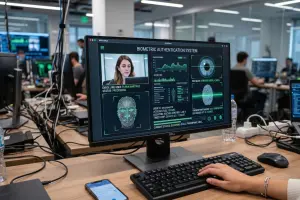
Through the webcam, a front view of the student during the exam is obtained, allowing the detection of irregularities such as:
- The presence of other people
- Prolonged absences
- Looking away from the screen
- Use of unauthorized devices (headphones, smart glasses, calculators, etc.)
- Consulting notes or study materials
This option is available in the SMOWL ENTERPRISE, SMOWL PRO and SMOWL PLUS plans (not in SMOWL CLASS, the plan designed for in-class digital exams) and, if combined with an external camera, provides a broader view of the exam setting.
Enhanced supervision with an external camera
Institutions and companies can supervise the environment with a external camera. In this way, SMOWL not only obtains a front view with the computer’s built-in webcam but also achieves a peripheral view of the room to identify irregularities more effectively.
This feature is available only in the SMOWL ENTERPRISE and PRO plans.
Audio monitoring via microphone
SMOWL proctoring also offers the possibility to monitor sound during exams to detect incidents such as:
- Questions and answers by voice (ChatGPT, WhatsApp audios, recordings, video tutorials, etc.)
- Conversations in the room
- Phone calls
In general terms, the microphone detects any type of conversation or voice (human or synthetic), presented as another kind of evidence when institutions and companies decide to monitor sound as well.
Audio capture is not available in the SMOWL CLASS plan, as it would not be necessary, since examiners can detect suspicious conversations taking place during digital in-class exams.
In short, all these features make SMOWL a powerful digital exam monitoring solution where academic fraud has no place.
User authentication: an extra security measure
SMOWL is equipped with a user authentication protocol for added security. This provides examiners with assurance that the test is being completed by the legitimate person.
This additional security feature is available in the SMOWL ENTERPRISE, SMOWL PRO and SMOWL PLUS plans, and includes an initial registration. This feature allows the system to perform checks to ensure that the person taking the exam is indeed the same one who registered.
SMOWL: registration process
Test-takers only need to register once (unless told otherwise by the institution or company), and from then on, they can access exams directly.
Although the process may vary slightly depending on the tools contracted by the institution or company, these are the steps to follow:
- Accept the Terms and Conditions of registration
- Give the browser permission to use the camera
- Take a selfie with the webcam
- Take a front and back photo of the ID with the webcam
- Install SMOWL EXTENSION or download SMOWL CM
After completing these steps, students will be ready for the exam.
Rigorous data protection
The protection of users’ personal data should not be a concern either for students or for educators safeguarding their data, since Smowltech complies with the GDPR (General Data Protection Regulation of the European Union), considered one of the strictest privacy laws in the world.

As it was developed with this rigorous European regulation in mind, SMOWL proctoring complies with privacy regulations of other countries as well, for example, FERPA (Family Educational Rights and Privacy Act) or CCPA (California Consumer Privacy Act) in the United States.
How is SMOWL integrated?
Smowltech’s digital exam supervision software integrates easily into Learning Management Systems (LMS) such as Canvas, Blackboard, Moodle, and D2L Brightspace.
This makes adoption easier for both students and educators. First, because students do not need to leave a familiar environment, avoiding the added stress of having to use a new tool or platform during an exam.
Second, because examiners can review reports within their usual platform without having to learn or use different ones.
But SMOWL is not limited only to popular learning platforms; institutions and companies with custom-developed solutions can also integrate SMOWL proctoring via API and LTI.
Everything discussed so far highlights that SMOWL is a flexible proctoring solution that adapts to the needs of each institution or company that seeks to safeguard the academic integrity of its evaluations.
What is needed to take an exam with SMOWL?
Students taking an exam with SMOWL only need the computer they will use for the test. Depending on the type of supervision chosen by the institution or company, the browser will ask for permission to use the camera and/or the microphone.
Depending on the tools being used, test-takers will need to:
- Join the live exam session on SMOWL LIVE.
- Install SMOWL EXTENSION, the Chrome extension that activates Browser Lock and blocks the browser during the test.
- Download SMOWL CM, Smowltech’s computer monitoring tool.
If you need to download SMOWL, a full guide is available at the link.
Additionally, examiners may ask students to use an extra device with a camera to supervise the environment where they will take the exam. This may be a smartphone or a tablet.
All students have to do is connect the device with a camera through a secure link and scan a QR code provided by SMOWL so that the device becomes another supervision tool.
Thanks to this feature, examiners can better assess the student’s environment.
SMOWL software: An ally for examiners and test-takers
In summary, SMOWL is a solution designed to make life easier for educators. First, it simplifies the evaluation process, reducing teachers’ workload so they can dedicate more time to teaching.

The same goes for recruiters and HR professionals; SMOWL allows them to save time when assessing the knowledge of both candidates and staff, so they can focus on other aspects of their work.
Second, SMOWL makes life easier for examinees by enabling online exams, improving accessibility, while ensuring fairness so all students and candidates are evaluated equally.
Although adopting new technologies may seem intimidating, using SMOWL proctoring should not be a source of stress for students or educators.
First, because SMOWL does not make academic decisions, but presents the evidence obtained to examiners so that they are the ones who decide the final outcome.
Second, because Smowltech’s proctoring solution complies with some of the strictest data protection regulations in the world, making SMOWL suitable for implementation in any country with specific privacy laws.
And third, because Smowltech provides support to institutions, companies, and test-takers to accompany them throughout the process.
SMOWL Academy: tutorials for teachers and students
On our YouTube channel, both educators and students can find micro tutorials to help them use SMOWL. The student videos are public, while the teacher videos are available through links provided by Smowltech.
FAQs – SMOWL
Does Smowltech offer live proctoring?
Yes. Smowltech provides real-time exam monitoring within the SMOWL ENTERPRISE plan. With the SMOWL LIVE tool, educational institutions and organizations can oversee examinees in real time and intervene or end sessions if any incidents occur. Live proctoring can also be combined with other features to ensure academic integrity during high-stakes assessments.
Is live proctoring expensive?
Real-time proctoring is often considered the most expensive form of digital exam supervision. However, guided by the belief that academic integrity should not be a privilege, Smowltech offers affordable live proctoring to institutions and organizations.
Is it free to download SMOWL?
The costs of contracting SMOWL are covered by the institutions or companies using the solution in their evaluations. Therefore, test takers do not need to incur any expenses. All they need to do is install or download the tools indicated, which may be SMOWL EXTENSION or SMOWL CM, completely free of charge.
Do students need a mobile app to use SMOWL?
No, test-takers do not need to download any mobile app to use SMOWL. Depending on the institution or examining company, they may need to install SMOWL EXTENSION (a Chrome extension) or download SMOWL CM (computer monitoring software), but not an app as such. When students use their smartphone or tablet as a external camera, they will receive a secure link and a QR code, but they will not need any app.
Is it necessary to switch platforms to use SMOWL?
No, tests take place within the institution’s or examining company’s own LMS (Learning Management System) such as Moodle, Canvas, or Blackboard. If the client has their own platform, they can also integrate SMOWL via API. This way, both test-takers and examiners can work in a familiar environment; the former to take their exams and the latter to review results.
What subscription types exist?
Institutions or companies can obtain two types of licenses: activity-based and user-based. The first is recommended for one-time evaluations (for example, admission exams or knowledge tests for a job), and the second, for cases where a student will take an undetermined number of exams. In this case, the subscription covers unlimited tests.
Is SMOWL proctoring software only for exams taken from home?
No. SMOWL has a plan dedicated to digital exams that take place inside a classroom or room: SMOWL CLASS. This plan offers the specific functions needed for in-class digital evaluations, leaving out functions like webcam or audio monitoring, since a supervisor is already present in the room.
Can SMOWL be tested before purchase?
Yes, Smowltech offers a free demo to institutions and companies so they can ensure firsthand that SMOWL is the solution they need.
Updated on